Portrait Tools
Change hairstyles, outfits, and create professional portraits or passport photos.
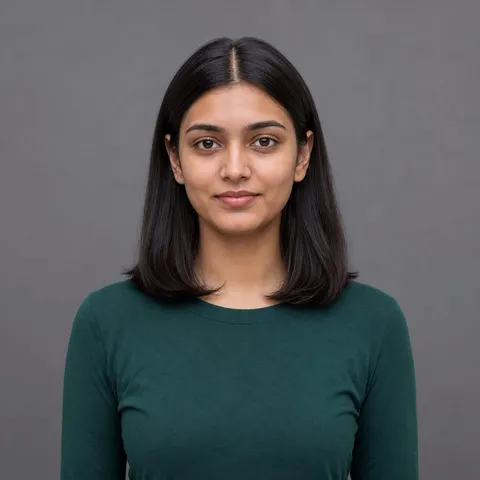 Before
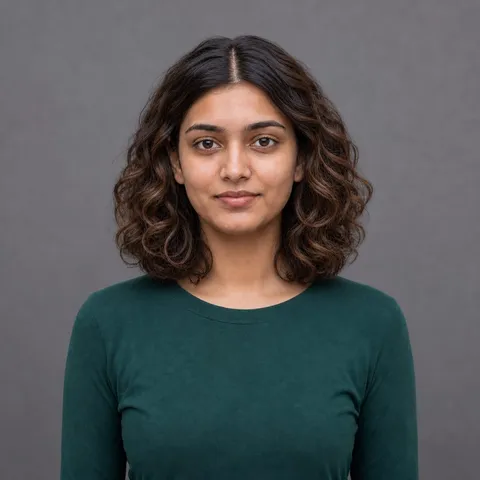 After
AfterChange Hairstyle
Try a new hairstyle while keeping your identity.
Try on hairstyles in any photo — swap straight hair for a curly bob, test a new hair color, or go from long to short with a one-line description. The AI edits only the hair, so your face, expression, pose, and clothing stay exactly the same.
Common uses
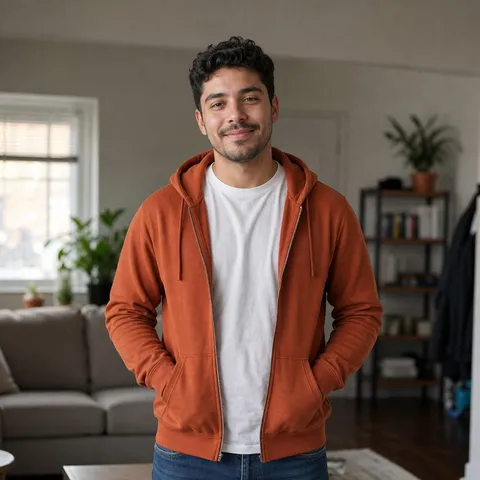 Before
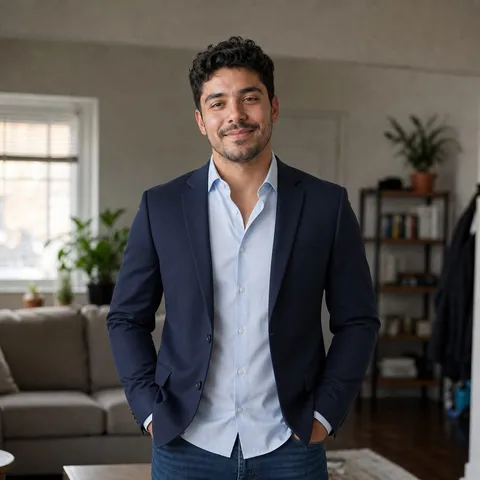 After
AfterChange Outfit
Preview a different outfit in one click.
Preview a different outfit in any portrait — swap a hoodie for a navy business suit or an evening dress just by describing it. The AI changes only the clothing, keeping your face, body pose, and background untouched.
Common uses
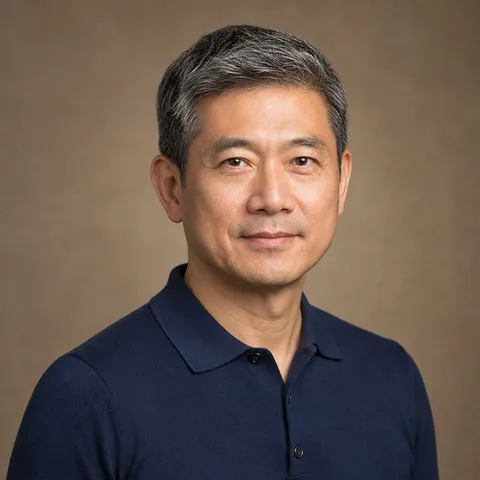 Before
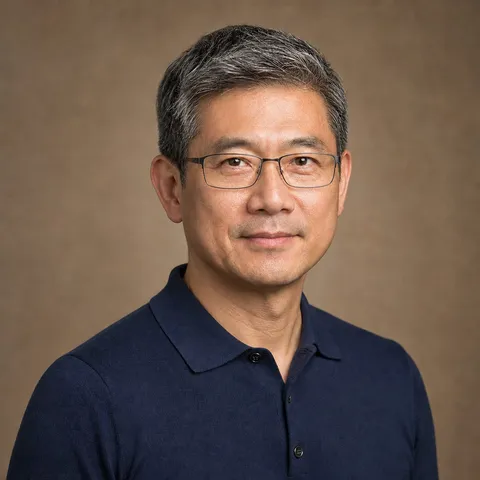 After
AfterAdd or Remove Glasses
Change eyewear without changing the face.
Add glasses to a photo or remove them in seconds — try on round frames or black sunglasses, or take existing eyewear off with a short description. The AI adjusts only the eye area, so facial features, expression, and lighting stay unchanged.
Common uses
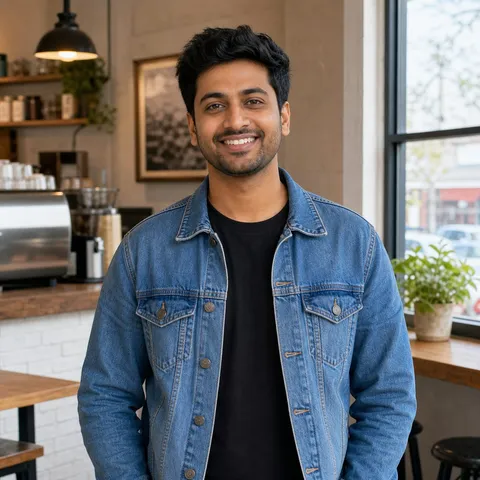 Before
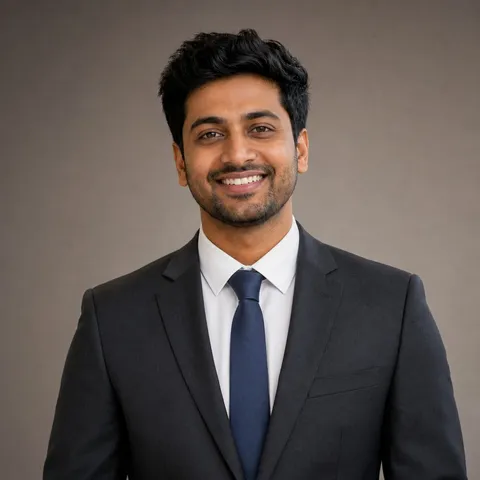 After
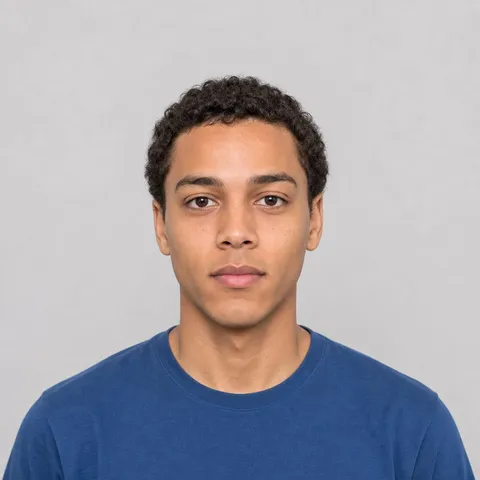
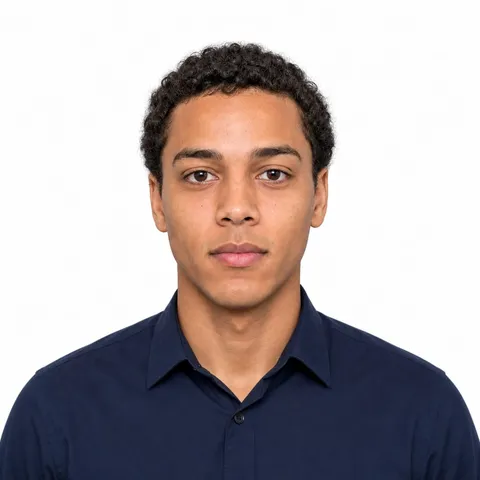
AfterProfessional Headshot
Create a clean studio-style profile photo.
Turn a casual selfie into a polished professional headshot with natural studio lighting and a simple background — no photographer or studio visit needed. The AI preserves your identity while upgrading the framing, light, and backdrop.
Common uses
 Before
 After
AfterPassport Photo
Turn a portrait into a formal ID-style photo.
Convert any decent portrait into a compliant passport-style photo with centered composition, neutral expression, even lighting, and the background color your application requires. The AI crops and re-lights the shot while keeping your face untouched.
Common uses
 Before
 After
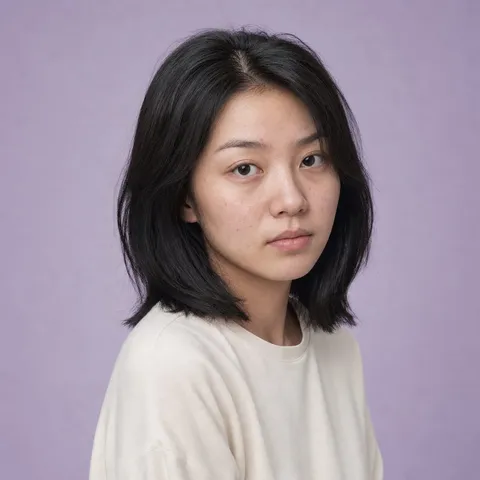
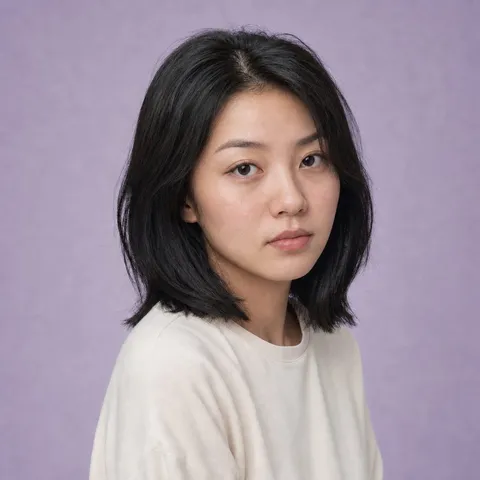
AfterTeeth Whitening
Brighten teeth naturally for a confident smile.
Whiten teeth in a photo the natural way — the AI lifts stains and yellow tones only in the tooth area, so your smile gets brighter without the chalky, over-processed look. Everything else, from lips to lighting, stays the same.
Common uses
 Before
 After
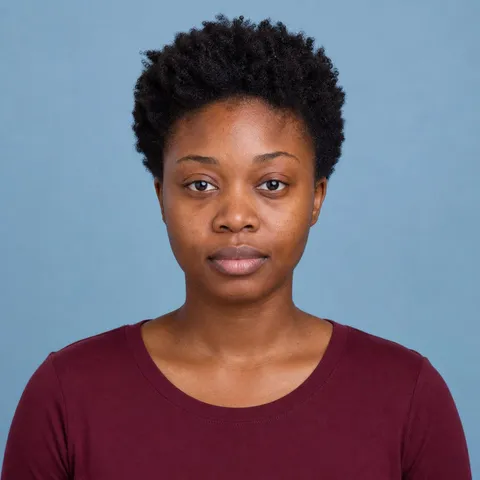
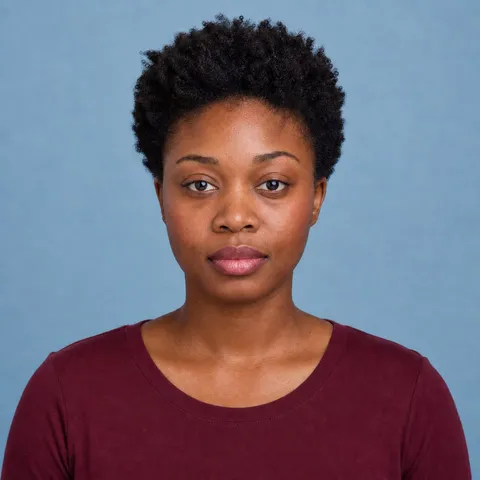
AfterSkin Retouch
Smooth skin while keeping it looking natural.
Retouch skin in a portrait the way a professional would — smooth blemishes, redness, and uneven tone while keeping real texture like pores and freckles. The AI works only on the skin, leaving identity, features, and expression untouched.
Common uses
 Before
 After
AfterVirtual Makeup
Try a makeup look without touching a brush.
Apply makeup to a photo without touching a brush — try a natural everyday look, evening glam, or bold red lipstick with a short description. The AI blends it into your features while keeping identity, expression, and lighting intact.
Common uses
 Before
 After
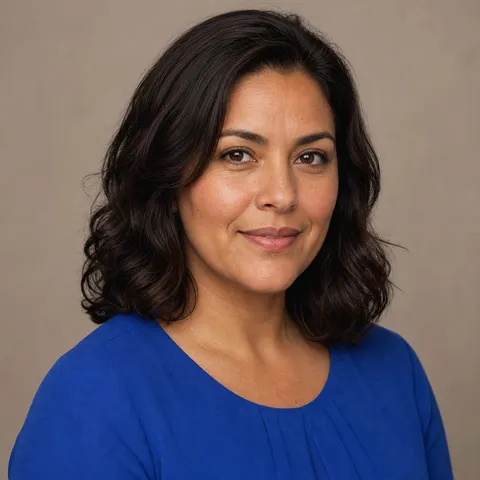
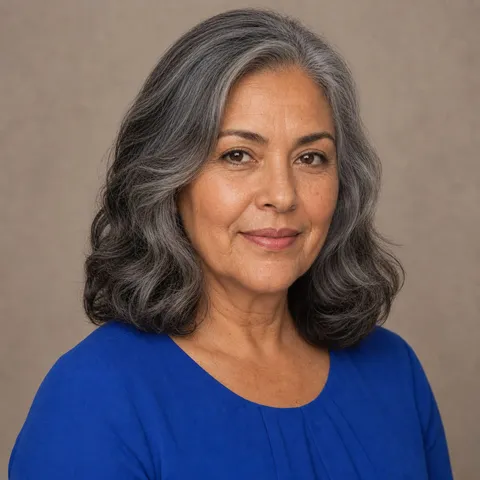
AfterAge Change
See a younger or older version of a face.
See a younger or older version of a face in one photo — an AI age progression tool that adds or removes years realistically, from skin texture to hair color. The person stays recognizable, so it's still clearly you at every age.
Common uses